
What InboxOji does
InboxOji writes the repetitive replies you send over and over — in your own voice — and leaves each one waiting in Gmail for you to glance at and send. The AI does the typing. You keep the judgment.
If you find yourself answering the same kinds of email again and again — invoice questions, booking requests, "where are you located?" — that is exactly the work InboxOji takes off your plate. You tell it which situations you handle often. It watches only those emails, drafts a reply for each one, and sets it aside for you. Nothing leaves your inbox until you say so.
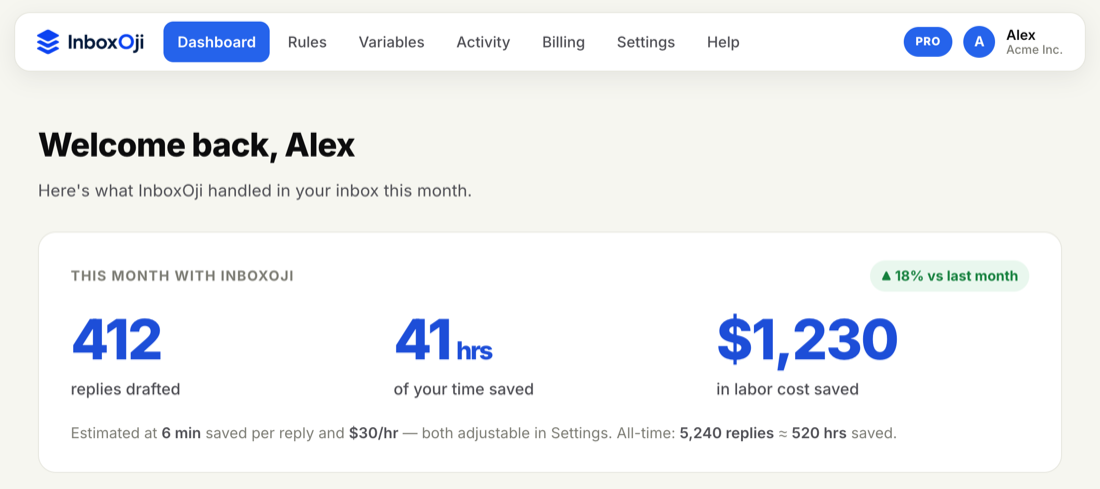
Your dashboard shows what InboxOji has done for you this month: how many replies it drafted, and the hours and money that saved you. It adds up faster than you would think — a few minutes saved per email, across every repetitive message you no longer have to start from scratch.
There is not much to learn. The whole product rests on three simple ideas.
- You describe the situations you handle often. Each one is a Rule — for example, "Invoice questions." You write it in plain language, and InboxOji uses it to recognize the emails it covers.
- It drafts a reply for each matching email. You write a separate Rule for each situation you see. For every email, InboxOji picks the rule that fits and writes a reply. If nothing fits, it drafts nothing rather than guessing.
- You stay in control. Each draft waits in Gmail for you to read, tweak if you like, and send.
This is the part worth underlining. InboxOji prepares replies; it does not send them on its own. We call this controlled automation: the AI handles the typing, you make the call on every message. You will always see a draft before anything goes out.
Rules begin life as Drafts — inactive, doing nothing — until you move them to Published. Only a published rule drafts on real mail, so you can build and check a rule at your own pace before it ever touches your inbox.
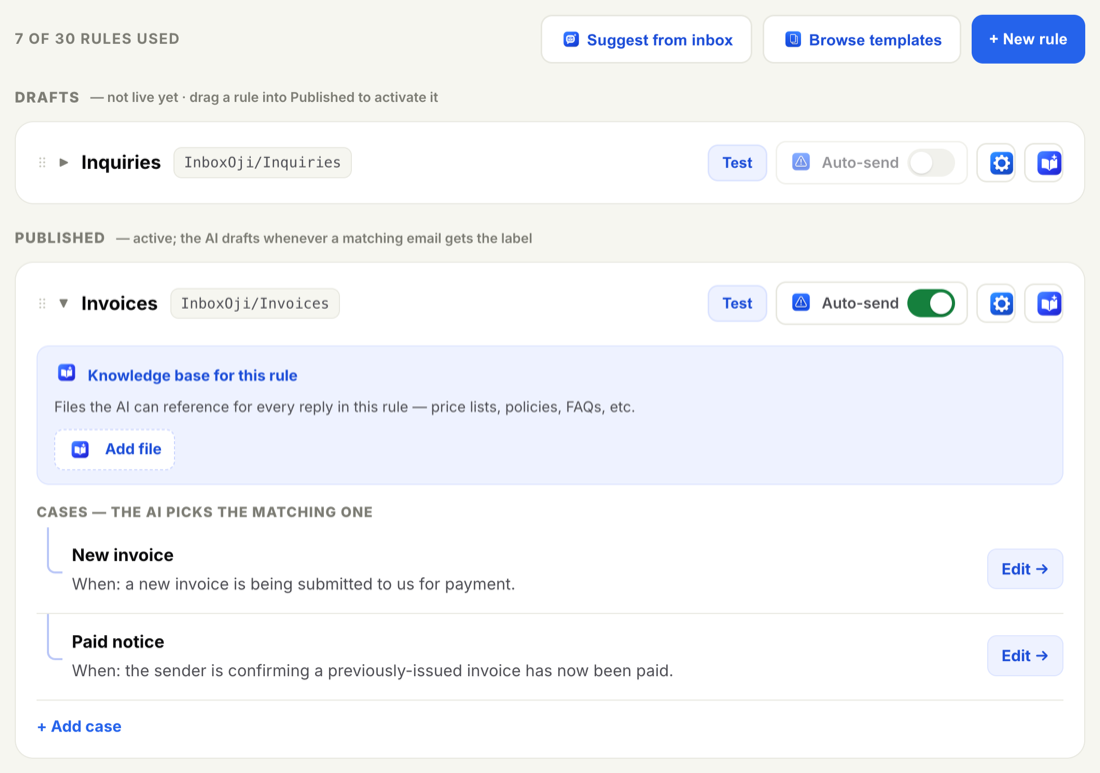
For the truly routine replies — the ones you would send word-for-word every time — you can later choose to let InboxOji send automatically. Auto-send is optional, off by default, turned on one rule at a time, and easy to switch back off. It is something to consider after you have tested a rule and trust it, not on day one. See Turn on auto-send safely when you get there.
Just as important as what it does:
- It does not read your whole inbox. It only acts on mail that matches a rule you've made live. The rest of your mail is none of its business.
- It does not send without you — unless you have deliberately turned on auto-send for a specific routine rule.
- It does not train AI on your email. Your messages and drafts are written for you, stay in your account, and are never used to train AI models.
You decide the situations. InboxOji watches only those emails, drafts a reply for each, and waits. You read it and hit send.
Three short steps and you will have your first drafted reply waiting in Gmail. Each links to a full walkthrough.
- Connect your inbox
Link your Gmail with a Google sign-in. Connect your inbox walks through it, including the "unverified app" screen you may see while Google finishes verifying us — that step is expected and safe.
- Set your writing voice
Describe how you write — brief, warm, formal, however you sound — just once. Every draft then matches your tone. See Set your writing voice.
- Create your first rule
Pick one situation you handle often, describe the reply you want, test it on a sample email, and publish. Create your first rule takes you all the way to a finished draft.
That is the whole idea. From here, the rest of this Help Center fills in the details whenever you want them — and if anything is unclear, support@inboxoji.com is a real person away.