
Turn on auto-send safely
By default, InboxOji writes a reply and leaves it waiting in your inbox for you to read and send. Auto-send is the optional next step: for the replies you trust completely, you can let one go out on its own. This guide shows you how to turn it on the careful way, so the only emails that send themselves are the ones you would have sent unchanged anyway.
Auto-send is built to be cautious. It is per rule, it is opt-in, and it is reversible. Nothing sends itself unless you have deliberately switched it on for one specific rule, and you can switch it back off at any time. Until you do, every draft simply waits for you.
When a rule has auto-send on, InboxOji writes the draft as usual, then sends it for you instead of leaving it to wait. That is the whole change. It only ever applies to that one rule, on emails that match it. Every other rule keeps drafting and waiting as before.
You will find the toggle on each rule in Rules. Open a rule and the auto-send control sits with its settings.
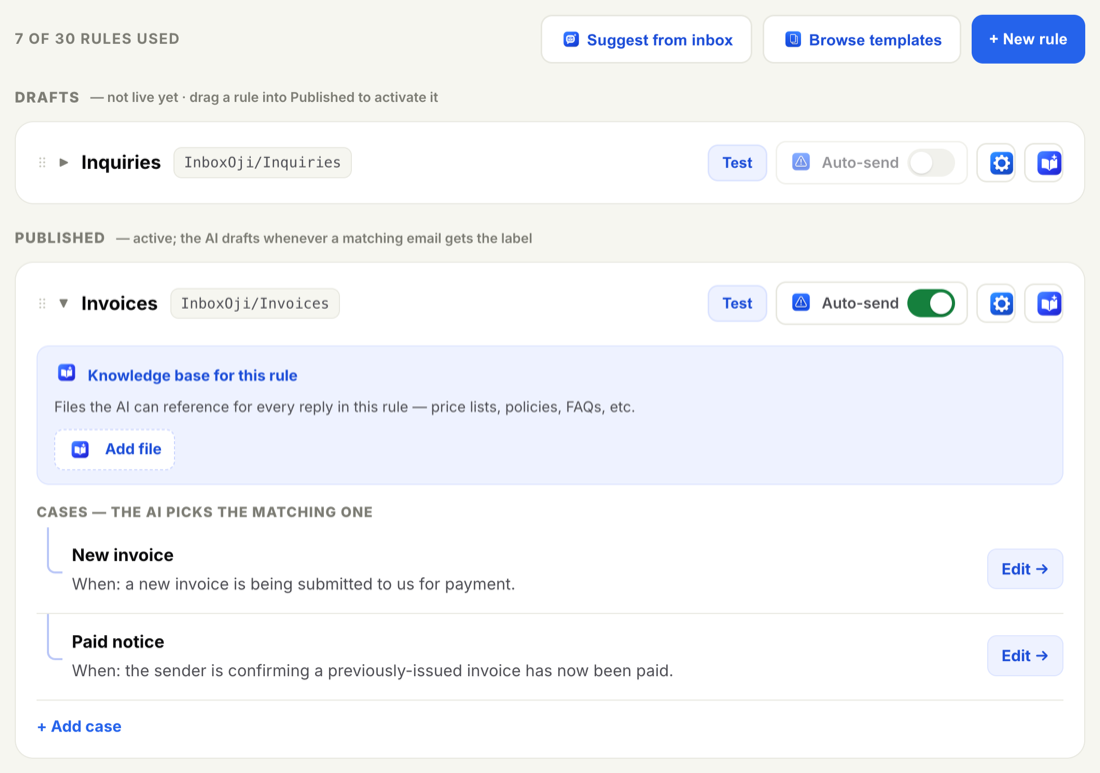
Because it is decided rule by rule, you can let a truly routine reply send itself while a more delicate one in another rule still waits for your eyes. You are never turning auto-send on for every rule or your whole inbox at once.
The goal is simple: only turn on auto-send for a rule after you have watched it draft well, again and again, and you would have sent those drafts as written. Work through these steps in order, and do not rush the middle.
- Make the rule live
A rule does nothing until it is live. Move it from Drafts into the Published section so it starts writing on real mail. While it is live but still hand-reviewed, every reply waits for you. See Draft vs published.
- Test it thoroughly
Paste several real example emails into the rule's Test panel and check, for each one, that InboxOji matches the right rule and writes a draft you would be happy to send. Try the awkward variations too, not just the easy ones. The more examples you run, the more you learn about where the rule is solid and where it wobbles.
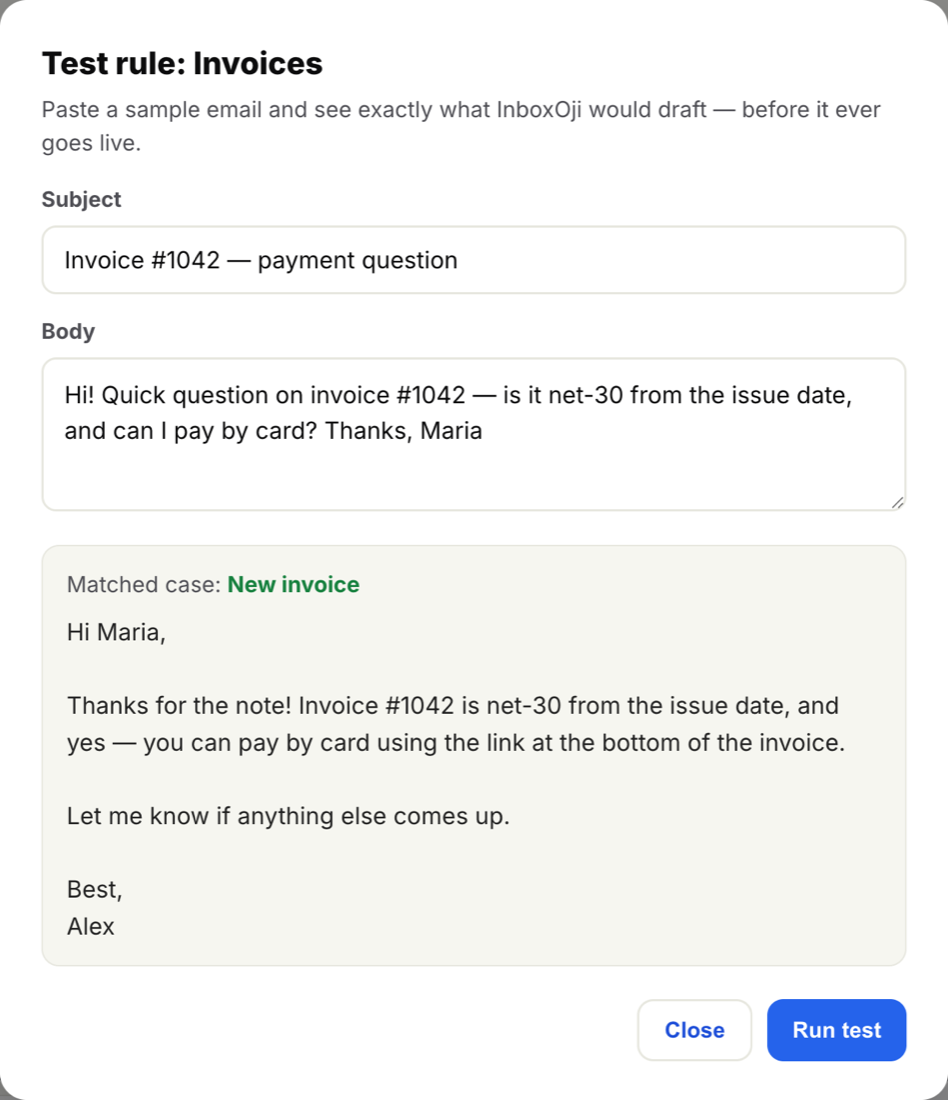
The Test panel shows the matched rule and the exact draft. Run many examples here before you trust a rule enough to auto-send it. See Test a rule. - Let it draft for a while
Leave the rule running in normal draft-and-wait mode for days or weeks, and read what it produces on live email. This is the real test. You are looking for a rule that comes out right every single time, with replies you send unchanged. If you are still editing the drafts, it is not ready.
- Turn on auto-send for the one rule you trust
Once a specific rule has earned it, open it and switch auto-send on for that rule only. Leave the rest off. Start with your most routine, lowest-stakes reply, the kind where there is really only one right answer.
- Keep an eye on Activity
After it goes live, check the Activity log to see what auto-sent, and for which rule. It is your record of everything going out on its own. If anything looks off, switch auto-send back off and return to reviewing. See The activity log.
Never auto-send anything that touches money, anything with a legal or contractual edge, an apology, or any reply you would want to phrase yourself. Those deserve a human read every time. Auto-send is for the genuinely routine and low-stakes replies, the ones that are the same no matter who is asking.
You are never locked in. Open the rule, switch its auto-send toggle off, and it goes straight back to drafting and waiting for you. It takes effect immediately, so the next matching email is a draft again, not a sent reply.
If you are ever unsure about a rule, the safe choice is to leave auto-send off. A draft waiting in your inbox costs you a few seconds to send and keeps the judgment in your hands, which is the whole idea behind InboxOji.
The AI does the typing. You keep the final word.
Auto-send only ever touches emails that match a live rule, never your whole inbox. And it only sends on its own for the exact rules you have switched on. Leave everything as it is, and InboxOji simply drafts and waits.