
Start and manage your free trial
Every InboxOji plan starts with a 7-day free trial. You add a card to begin, but you are not charged until the trial ends. Cancel any time before then and you pay nothing.
The trial gives you the full plan, not a stripped-down preview. Connect your inbox, set up a rule, and watch InboxOji draft replies in your voice. If it is not for you, walk away before day 8 at no cost.
-
Choose a plan and start the free trial
On Billing, pick the plan that fits — Starter, Pro or Enterprise — and select Start free trial. Not sure which to pick? See Plans explained.
-
Add your card in the secure billing portal
You enter your card in our secure billing portal. Your card is stored securely. Nothing is charged today — the card is on file so your plan can continue smoothly if you decide to keep it.
-
Start using InboxOji right away
Your trial is live the moment you finish. Connect your Gmail, create your first rule, and let InboxOji start drafting. You have the full week to put it to work.
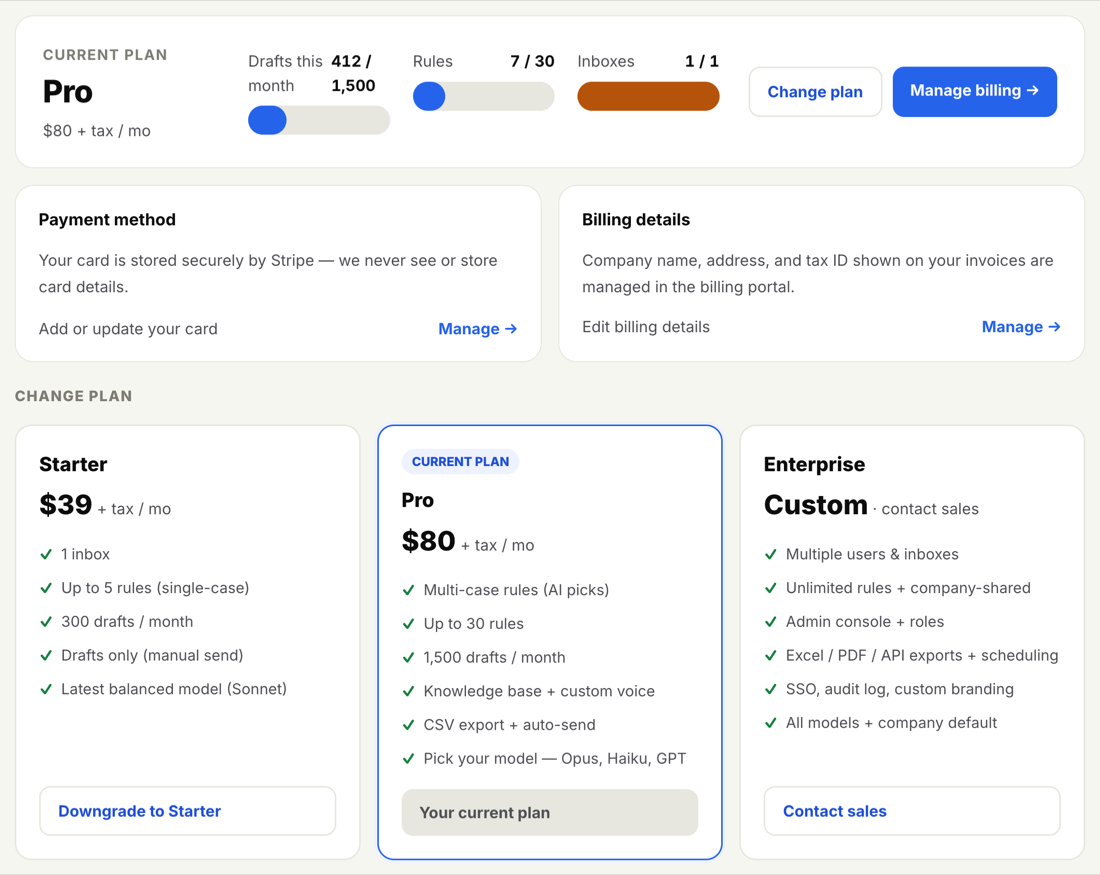
During the trial you have full access to everything in the plan you chose. Nothing is held back. If you started a Pro trial, you can use Variables, Snippets, the knowledge base and the rest while you decide. The trial is the real product, so you can judge it properly.
You can stop the trial any time before it ends and pay nothing.
-
Open Billing
Go to Billing and select Manage billing.
-
Cancel in the billing portal
Cancel from the secure billing portal. As long as you do this before the trial ends, you are not charged. For the full walkthrough, see Change or cancel your plan.
Still undecided? Set yourself a reminder for the day before your trial ends. That way you can make the call with a clear head instead of being surprised.
If you do not cancel, your trial rolls into your paid plan automatically. On day 8, your plan begins and your card is charged for the first billing period. Everything you set up stays exactly as it was — your rules, your drafts and your settings carry straight over. There is no action needed from you to keep going.
If your first charge does not go through, you are not locked out instantly. We let you know and give you a chance to update your card. See When a payment fails.
Questions about your trial or billing? Reach us at support@inboxoji.com and we will help.