
How rules work
Rules are the idea everything else in InboxOji rests on. Once a rule clicks, the rest of the product makes sense. Here is the whole picture in a few minutes.
Think of it this way: a Rule is one situation you handle over and over, plus the reply you give for it. You tell InboxOji which kinds of email you answer regularly and how you tend to reply to each. From then on, it reads your incoming mail and, when a message matches one of your rules, drafts that reply in your voice and leaves it in your inbox to review and send.
A Rule is one recurring kind of email. "Invoice questions." "Booking requests." "Refund inquiries." You describe it in plain language so InboxOji knows exactly which emails it covers. The invoice Rule, for example, covers messages asking about invoices and nothing else.
That description is the boundary. InboxOji only acts on mail that matches a rule you've made live — everything else stays private and untouched. If an email doesn't match any rule, InboxOji does not touch it. The Rule is, in plain terms, one type of message you answer regularly and the answer you give for it.
New Rules start as drafts and stay inactive until you make them live. A Rule only begins drafting on real mail once it is in your Published section. See Write a rule that fits.
A Rule has three parts that work together. First, a When: description in plain language — this is how InboxOji recognizes the emails the rule is for, like "The sender is asking for an invoice or a copy of one." Second, the reply you want: its tone, roughly how long it should be, and what it needs to say. Third, the rule's own knowledge base — the facts it can draw on, like your prices or hours.
So for an invoice Rule, the When: might describe people asking about invoices, and the reply might thank them, attach the details, and explain how to pay. Each rule is one situation, so you write one for every kind of email you handle regularly.
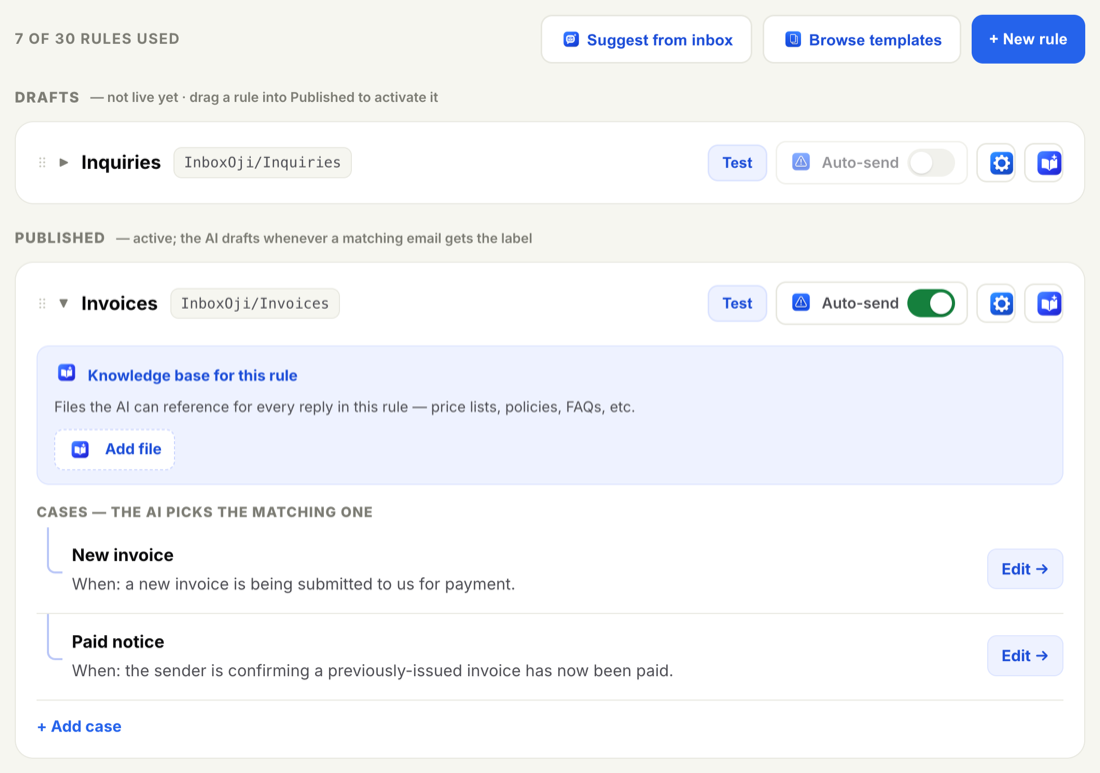
When a new email arrives, InboxOji reads it and picks the one rule that fits. Then it drafts that rule's reply, in your voice. It does not blend rules or hedge between them.
And if nothing fits? InboxOji drafts nothing. An email that doesn't match any rule is left alone for you to handle yourself. That restraint is deliberate: a blank is better than a confident wrong answer.
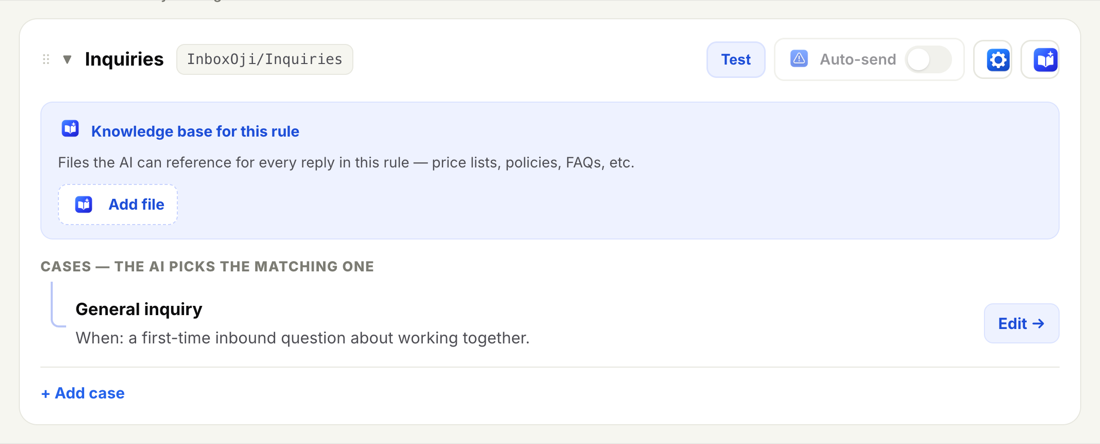
Giving each situation its own rule is what stops the AI from guessing. If one rule had to stretch a generic reply across every email about invoices, a "here's your invoice" answer would be exactly wrong for someone who just told you they paid. A separate rule for each situation avoids that.
By naming each situation, you give InboxOji a clear target for every email. The draft matches what the person actually asked, because you defined the match. You stay in control of the judgment; the AI just does the typing.
A rule is one situation and its reply. InboxOji's job is to pick the right one — or none at all.
On Starter, you build a handful of rules — a single, dependable reply for each topic you answer the same way every time.
On Pro and Enterprise PRO+, you can create many more rules, so you can cover a topic and all its natural variations — a "New invoice" rule and a "Paid notice" rule, say — each with the right draft every time. InboxOji reads each email's content to pick the one that fits.
Start with the one or two situations you answer most. You can always add more rules later as you notice new patterns — see Add and edit rules.