
Export company data or close the account
Two account-wide actions live in Settings under Data & residency: export a full copy of your company's data, or wind the whole account down. Both are deliberate, and the second is done with us, not with a single click.
You find both on the Settings page, in the Data & residency section. They sit alongside the facts about where your data lives and how long it's kept, so you can make the call with everything in front of you.
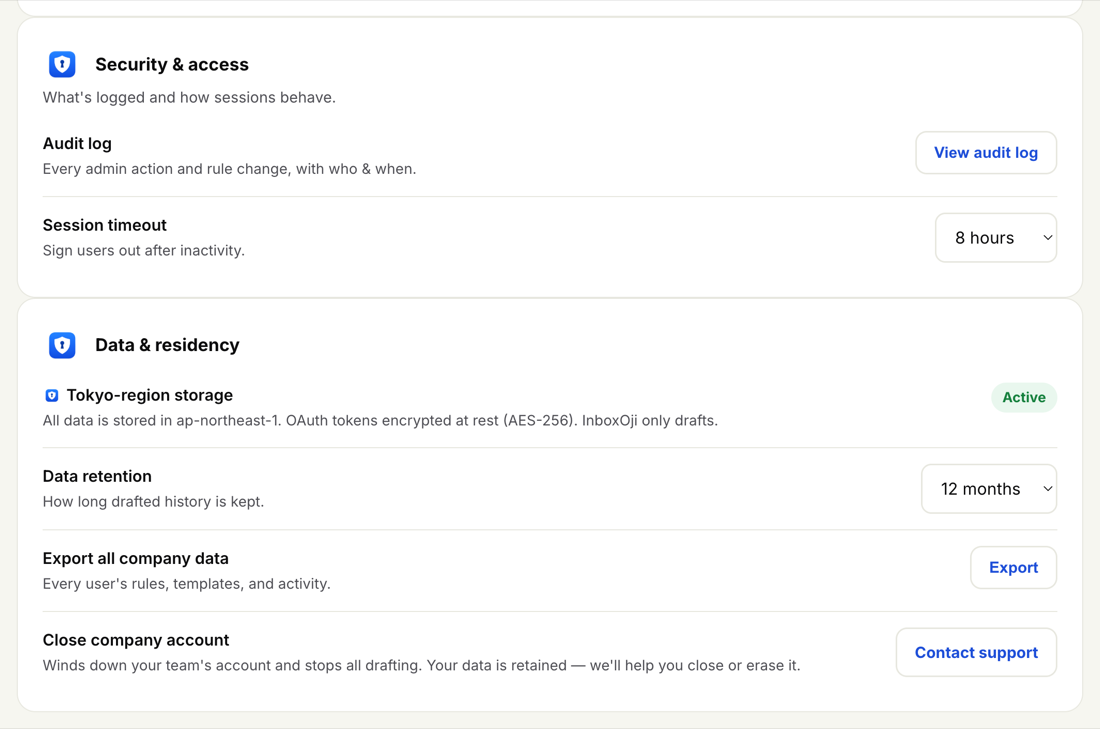
This downloads a complete copy of your account: every user's rules, every template, and your team's activity. Use it for your own records, a periodic backup, or before any big change. The export is read-only and changes nothing in the account.
-
Open Data & residency
Go to Settings and scroll to the Data & residency section.
-
Request the export
Choose Export all company data. We gather every user's rules, templates and activity into one file.
-
Download the file
Download the export when it's ready and keep it somewhere safe. It's a snapshot of the moment you ran it, so re-export whenever you want a fresh copy.
Want a slice of activity rather than the whole account? Usage lets you filter by user or by rule and export just that view. The full export is for everything at once.
Closing winds the whole team's account down and stops all drafting across every inbox. It's a big step, so it isn't a one-click button — you do it with us. Choose Close company account in Data & residency, or simply email support@inboxoji.com, and we'll walk it through with you.
Your data is retained when an account closes. From there, support can either hold it on file or erase it entirely — you tell us which, and we handle it. Nothing is deleted automatically by closing.
Closing stops drafting for everyone, not one person. Export your data first if you want a copy. And if you only need to offboard a single teammate, don't close the account — archive that user instead, which frees their seat and keeps the rest of the team running.
Your account data is stored in the Tokyo region (ap-northeast-1), access tokens are encrypted at rest with AES-256, and how long drafted history is kept is set by your retention choice. For the full picture of residency, encryption and retention, see Data residency, encryption and retention.